A Typical Workflow
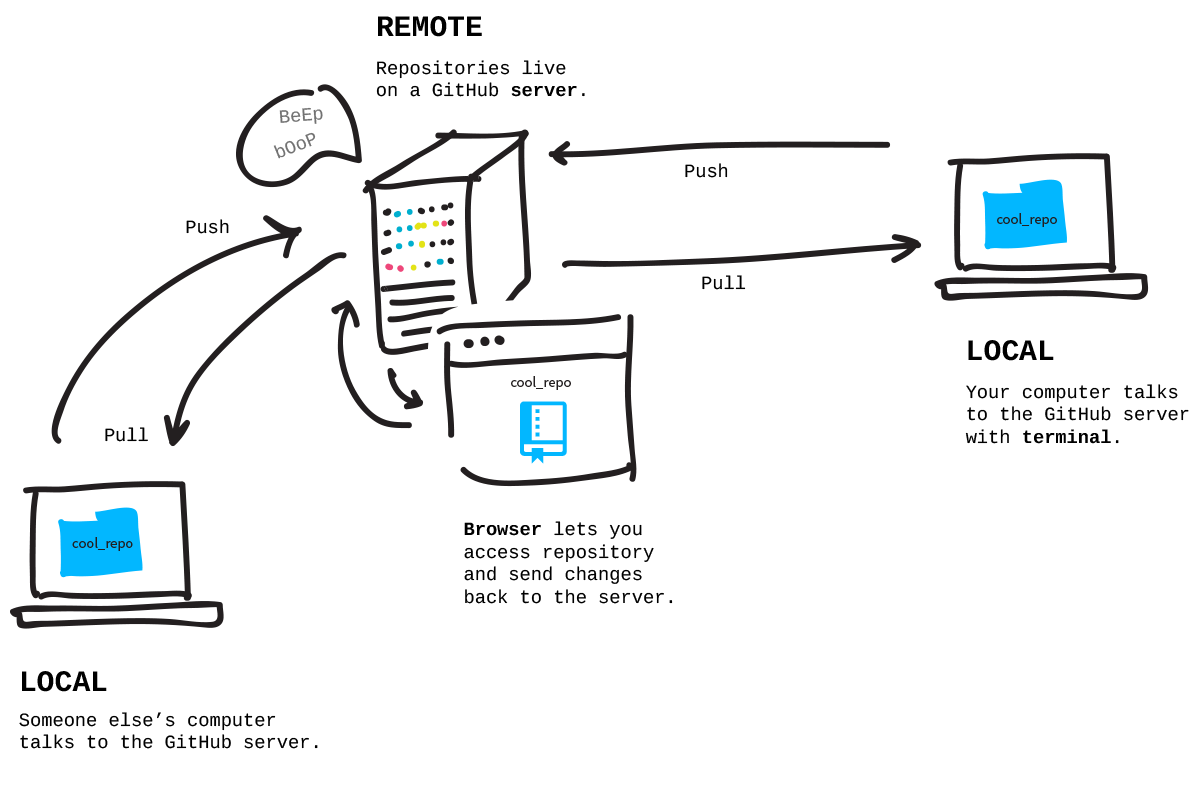
In a typical Git + GitHub workflow, you’ll have have your work in a folder (repository) on your local computer and also a linked copy on a remote repository (origin), in this case GitHub.
You can make changes in your local repository (most common) or your remote repository.
-
To synch the remote repository with local changes you Push.
-
To synch a local repository with remote changes you Pull.
Tracking changes
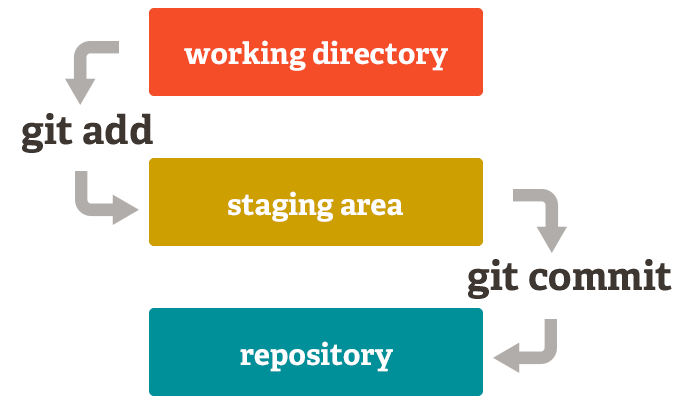
After you make changes to a file you will need to commit them so that Git creates a snapshot of the file at it’s current state (saving the file does not commit the changes to git). To this you:
- Add the file to the staging area
- Write an informative commit message
- Commit the changes
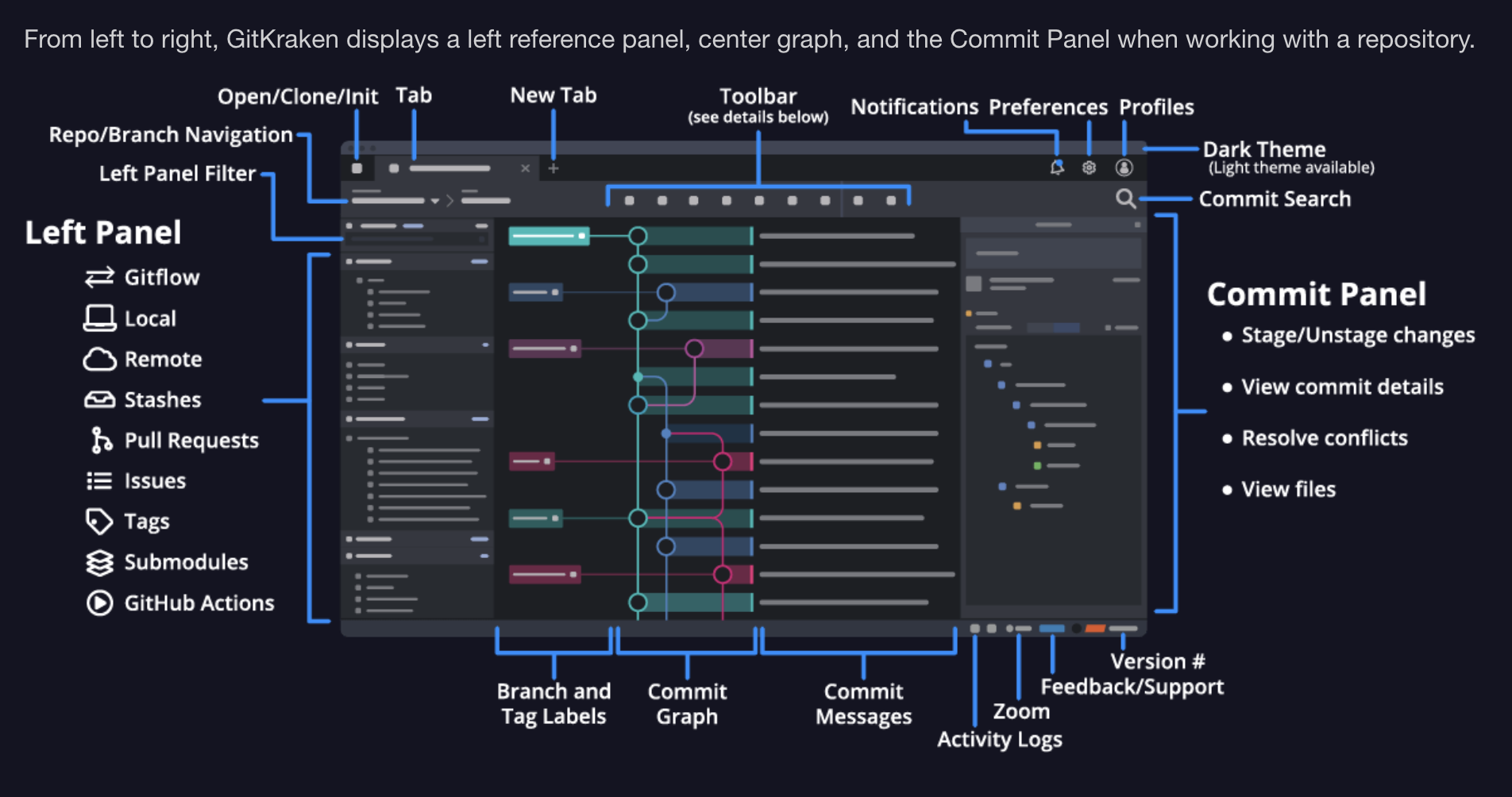
GitKraken Client Interface
Info
More info on GitKraken Client Interface basics